Painting & disguises
Two halves of the same trick: paint decides what you look like, the pose wheel decides what shape you are.
Painting yourself
Hold the brush and press F. You freeze, the camera pulls back, and the tools
open around you.
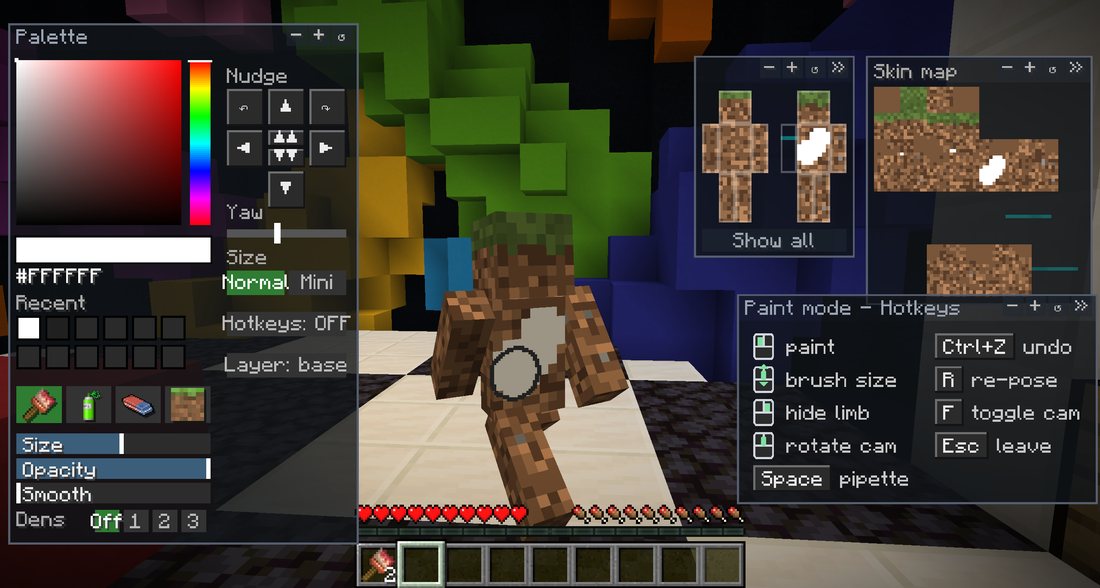
Two ways to paint, swap freely between them: directly on your body in 3D, or on the flat skin map for the fiddly bits between the arms and the torso. Brush, bucket, line, rectangle, spray, mirror, undo and zoom.
The most useful tool is the eyedropper: right-click any block with the brush and you get its exact colour, tint included, so grass reads green rather than grey.
1 to 4 pick the brush, the spray, the eraser and the
texture tool. H shows and hides the 3D handles. The full list is on the
cheat sheet in the corner of paint mode.
Finer detail
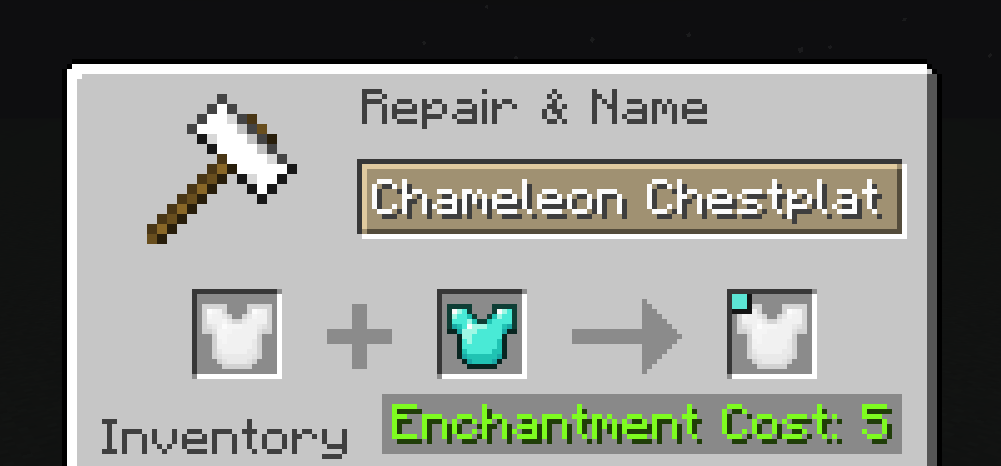
A fresh piece paints at 64×64, the same resolution as a Minecraft skin. Put a piece and a netherite block in an anvil and it upgrades to 128×128, with netherite plating thrown in. A nether star on top of that takes it to 256×256. Your existing art carries over each time.
You can also reinforce a piece with any vanilla armour in an anvil, if you would rather not be made of wool in a fight.
Poses
Hold R, aim a segment, let go. Each slice shows your character in that
pose, painted as you actually are.
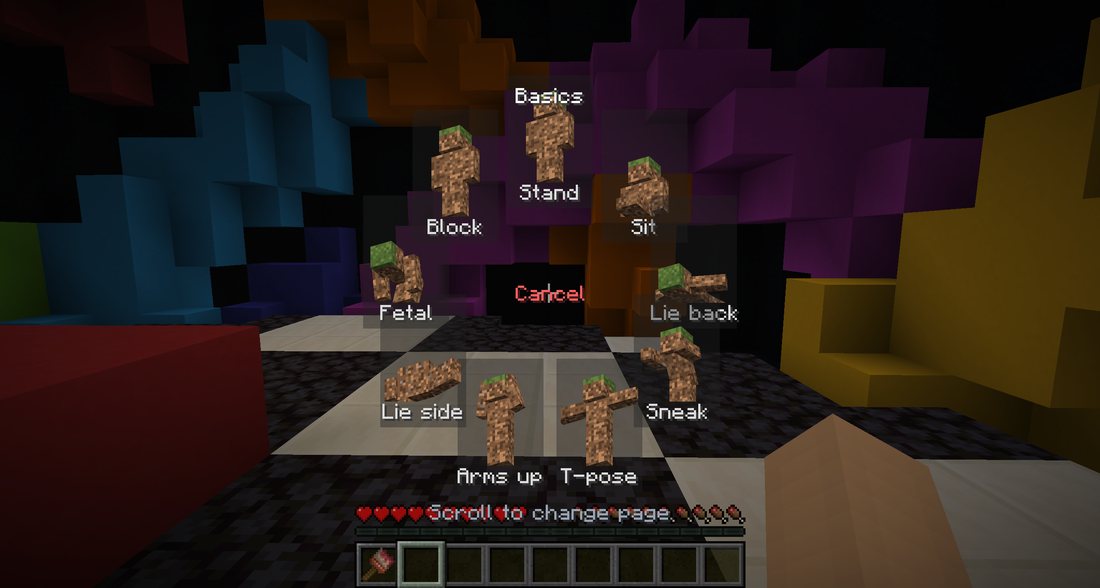
Pages read left to right. Scroll to turn, or click the card on either side, which is there so a trackpad with no wheel can reach them too. Each card shows something from its page, so you can see where you are going before you go there. Releasing in the middle cancels.
Three pages of poses: Basics, Hiding and Fun. A fourth, Supporter, holds five character poses for people who have supported the mod. It is shown to everybody, greyed, rather than hidden: they are personality, never an advantage, and every one of them is more visible than standing still.
A pose leaves you free to walk around and reposition. Press F to lock in
properly: the idle animation stops and you can inch yourself into place. Sneak or jump to break out.
Props
Or stop being a person entirely. Turn the pose wheel past the poses to reach the props.
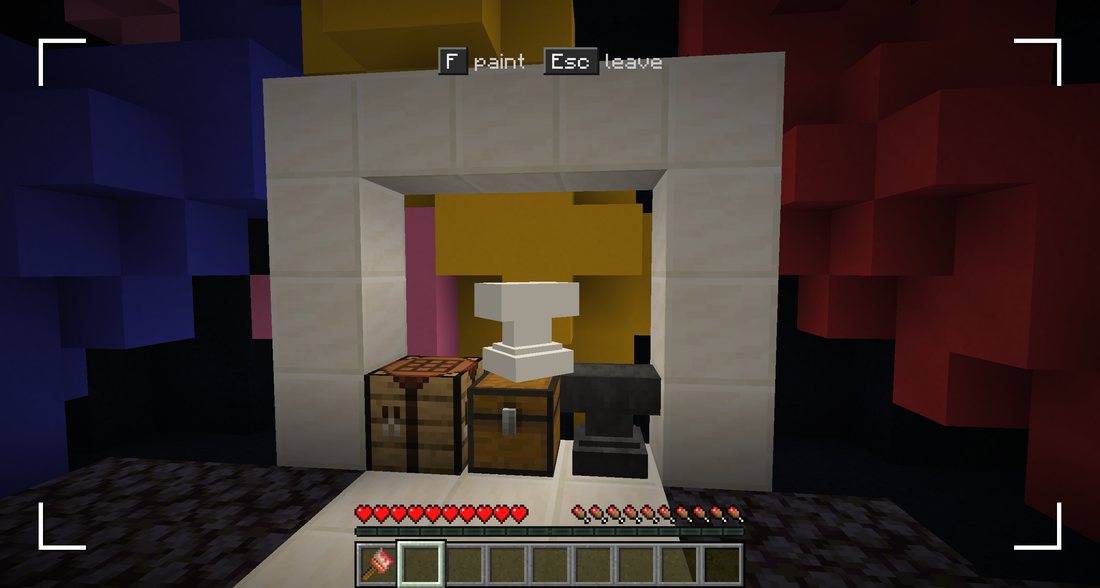
They are grouped over five rings:
| Blocks | Full block, slab, stairs, carpet, trapdoor |
|---|---|
| Barriers | Fence, wall, pane |
| Decoration | Cake, flower pot, lantern, anvil |
| Mobs | Cow, pig, sheep, chicken, wolf |
| Monsters | Creeper, enderman |
A prop needs the full Chameleon set. Half an armour turning into an anvil was never meant to work.
Once you are a prop, R stops offering body poses and offers that prop's own
settings instead: one ring for its shape, one for the direction it
faces, and nothing else. Stairs can be straight, an inner or an outer corner, right way up or upside
down. A fence can be a lone post, an end, a line, a corner, a T-junction or a cross. A slab sits on the
floor or under the ceiling.
Get it wrong and you are the one fence post in the row pointing the wrong way.
The middle of the wheel now reads Remove disguise, and that is the way back to the catalogue when you want a different prop.
Mobs turn with you rather than facing a compass direction, because a cow is not something you place. Blocks keep their four placements, which is the whole point for them. Taking a different prop also puts you back to full size: a half-size copy of a real block gives you away instantly.
Placing yourself
A prop that sits at the wrong angle, or a hand's width from the wall, is a prop everybody spots. So a frozen disguise comes with the six controls a 3D editor would give you: three rings to turn it and three arrows to slide it. Grab one and drag.
The colours are the ones every 3D tool uses, so there is nothing to learn: green spins it on the spot, red tips it forward and back, blue drops it onto its side. The arrows follow the same idea along the three directions of the world.
While you drag, nothing is refused. Your disguise follows your hand and sinks into the wall if that is where you take it. If it ends up too far inside, the edge of the screen goes red and says the position will not be kept, and letting go there puts it back where you started. Nothing is lost by trying.
H hides the handles when they are in the way of your brush, and a stroke you
have already started fades them out on its own so a line drawn across the prop carries on. There is a
button to put every angle back the way it was when you froze.
Saved looks
What you paint on a prop is remembered. Props have no armour to keep a drawing on, so it lives on your own machine instead: put the same fence back on tomorrow and your fence is there, not a blank one.
Each shape holds several looks, picked from the tabs under the paint map. Slot 1 saves itself whenever you leave paint mode. The others save when you press Save, and ask twice before overwriting one that already holds a drawing. Shift-click a tab to copy what you are looking at into it, which is how a drawing moves from one slot to another.
Turning a prop keeps your drawing. Changing its shape starts you on a blank one, because the surfaces are no longer in the same places, and each shape keeps its own slots for the same reason.
Keeping your art
Paint lives on the armour, not on you: take a piece off and the art goes with it.
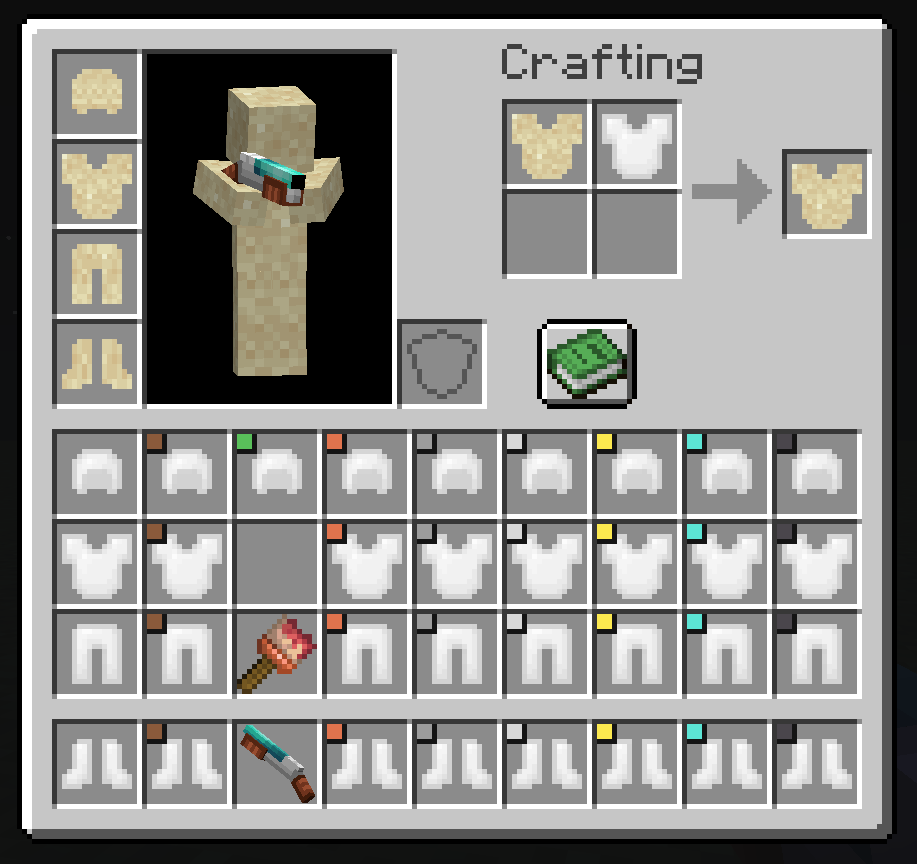
- Sign it by crafting the piece with a feather and an ink sac. Your name goes on it and the paint locks.
- Copy it by crafting a signed piece with a blank one. The copy credits you. Copies of copies are not allowed.
- Wash it with a water bucket to unlock a signed piece and start again.